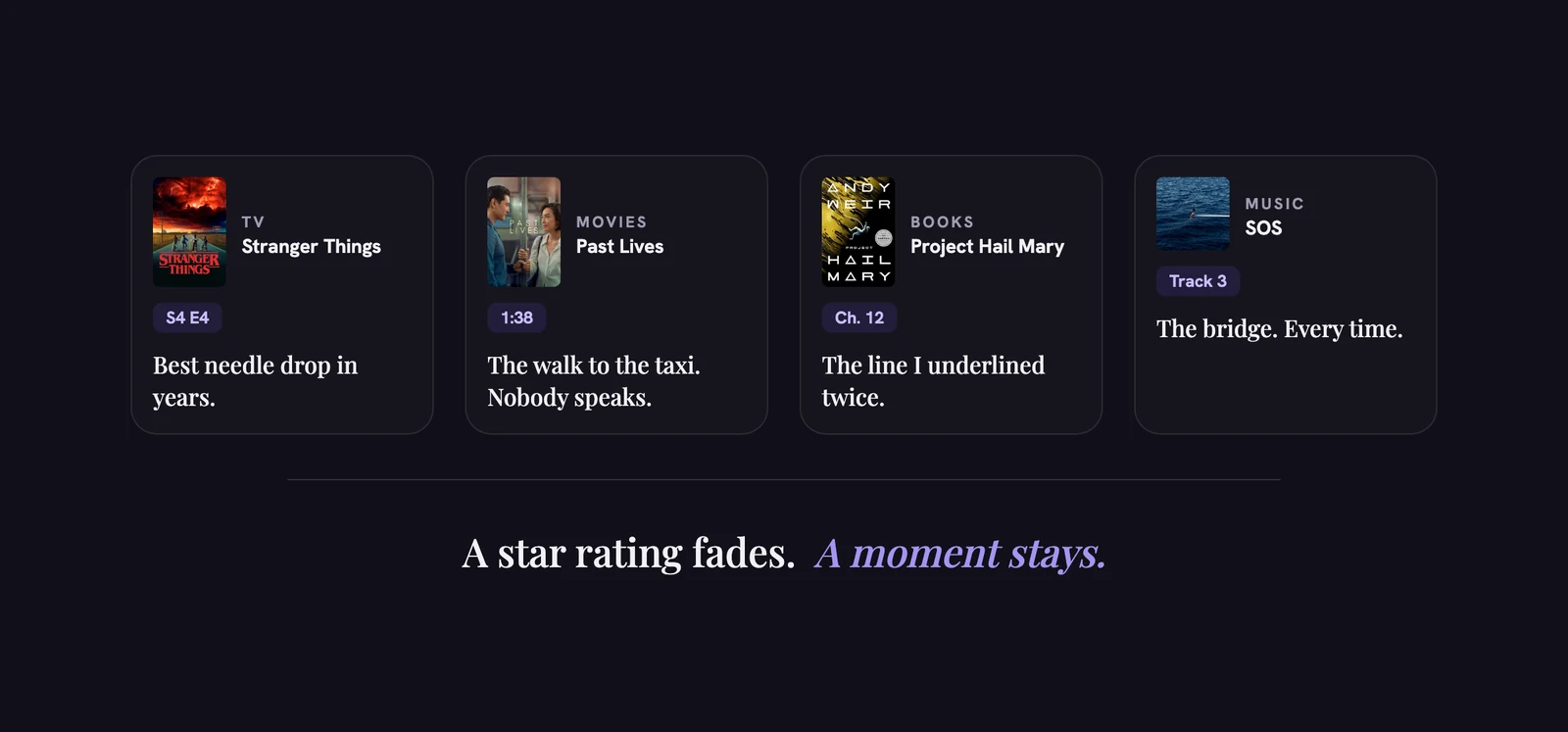
A year later, the star rating is all that's left. You remember that you loved it, but not the scene that got you, the line you wanted to quote, or the episode where it turned. Wibely is built to keep those moments.
Why a rating isn't enough
A rating squeezes hours into one number. That's useful for sorting a list and useless for remembering. Four stars doesn't tell you which scene earned them, and it won't help when a friend asks "what was so good about it?"
What you actually want back is small and specific: one scene, one line, one turn in the story. Small things are easy to write down, as long as you do it close to the moment.
Notes made of moments
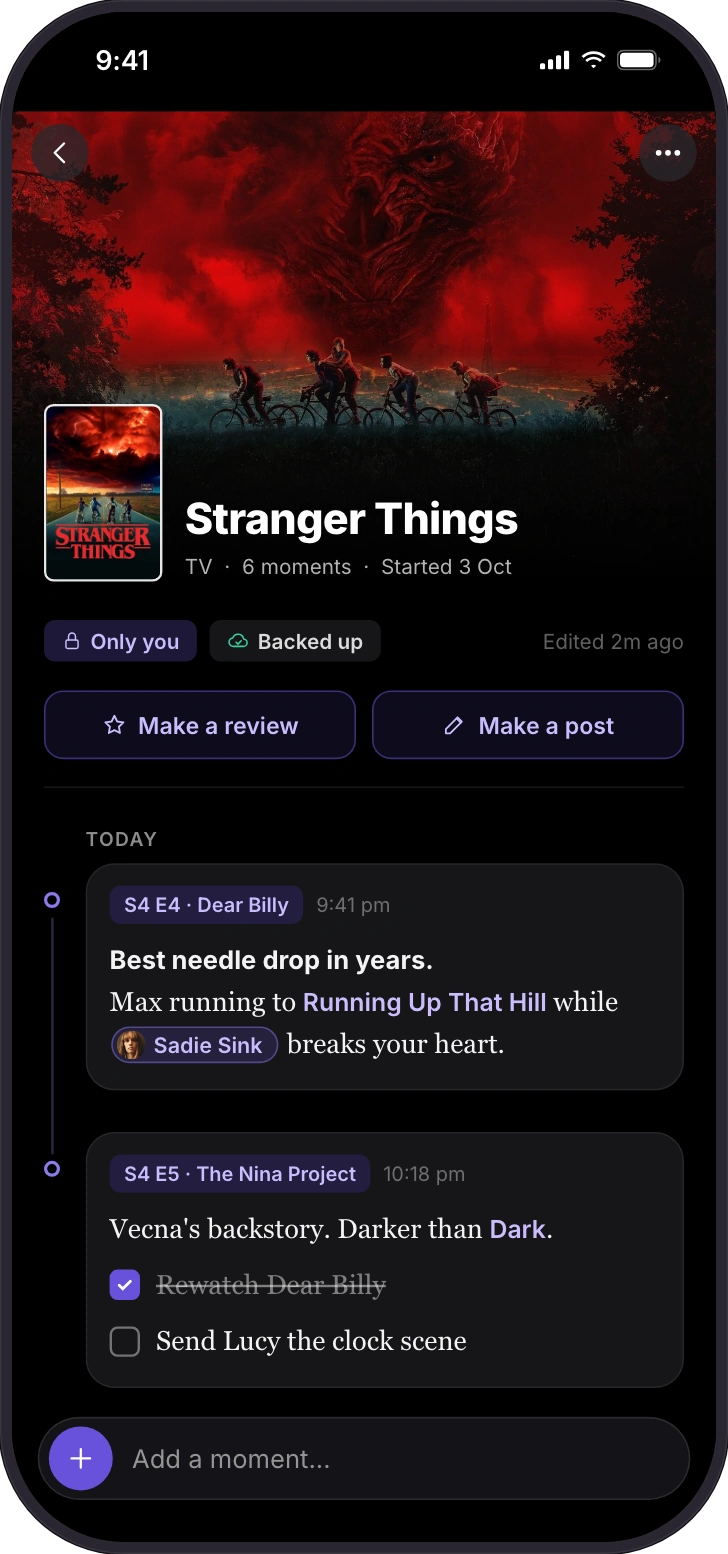
Each title can have a note, and a note is a running list of moments. Each moment carries a marker that fits the kind of thing it is:
| Kind | Pin a moment to | For example |
|---|---|---|
| TV | Episode, time, scene | S4 E4 · "Best needle drop in years" |
| Movies | Time, scene | 1:12 · the diner scene |
| Books | Page, %, chapter | Ch. 12 · the line you underlined |
| Games | Session, chapter | Session 12 · the boss that took eleven tries |
| Music | Track, time | Track 3 · the bridge |
Add checklists ("rewatch the finale", "send Lucy the clock scene"), mention the actor or a friend, and link other titles, so a note about a show can point to the book it came from.
A habit that takes one minute
- One moment per sitting. After the episode, the chapter or the session, write down the one thing you'd tell a friend.
- Pin it. Add the episode, page, track or time, so you can find the exact spot again.
- Write what you felt, not what happened. The plot is on the internet. Your reaction isn't.
- Leave a thread to pull. If it sends you somewhere, add a checklist item or link the other title.
Five prompts for when you don't know what to write
- The moment I'd show a friend.
- The line worth quoting.
- Where it changed my mind.
- What it reminded me of (link that title).
- What I'd say to someone about to start it, without spoiling it.
If you study movies seriously, there's a fuller method in how to take notes on movies like a filmmaker.
Private by default, and safe
- Only you ever see your notes.
- Lock them with Face ID, Touch ID or your passcode.
- Write offline. Notes save on your phone first and back up when you're online.
- Nothing is lost. Deleted notes go to a trash, and every note keeps its earlier versions.
Your first notes are free. Wibely Plus makes them unlimited and lets you turn a note into a review or a post.
See your year
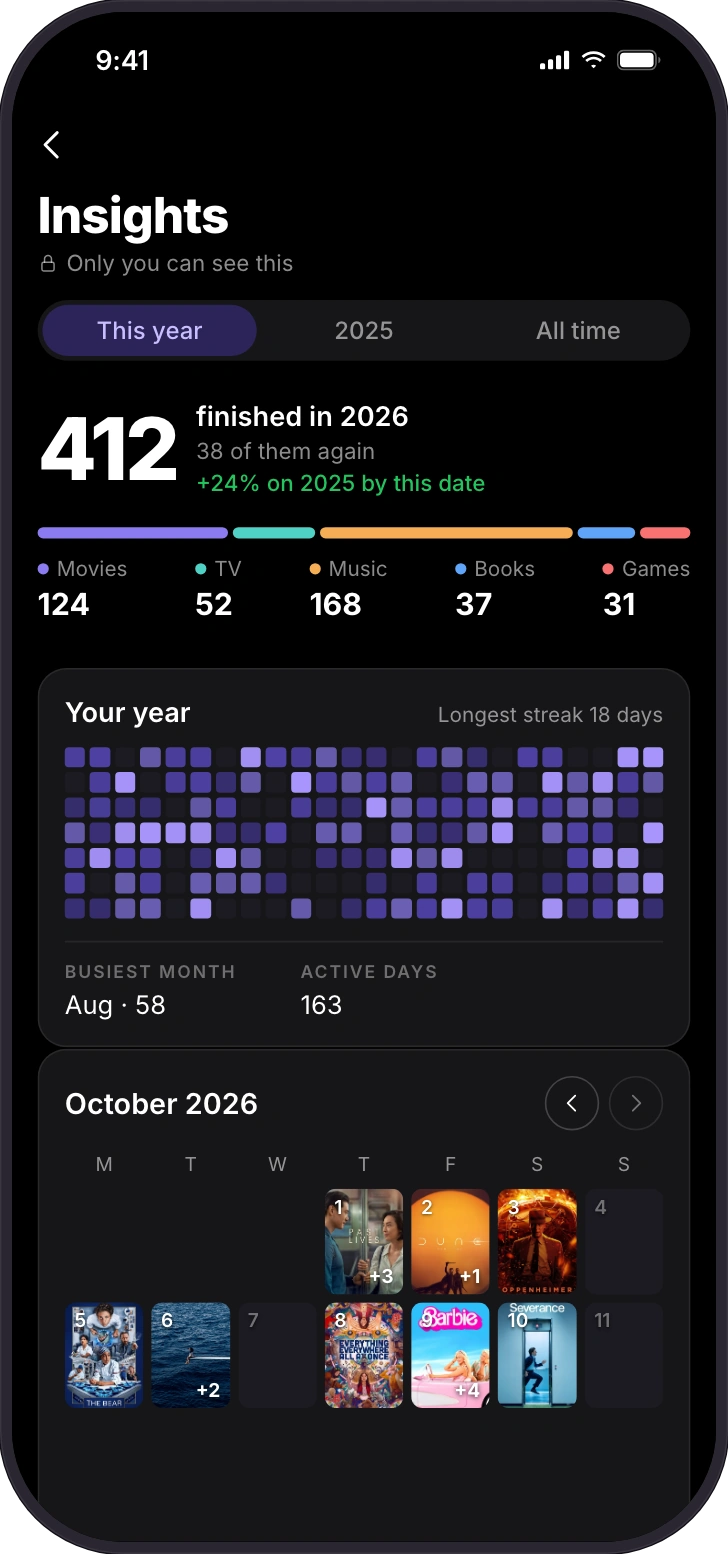
Insights shows everything you finished, per kind, how many of them were "again", your longest streak, your busiest month and your active days. A month calendar fills with the posters of what you finished each day. Only you can see it.
Rewatches count too. Mark a movie watched again, or a book read again, and it shows in your totals instead of disappearing into the first time.
Everyone gets a first look at Insights; Wibely Plus shows all of it.
The rating tells you what you thought. The note tells you why. That's the part worth keeping.
Questions people ask
- Can my friends read my notes?
- No. Notes are only ever yours.
- Are notes free?
- Your first notes are free. Wibely Plus makes them unlimited.
- Can I find an old note again?
- Yes. Search covers the text of every moment and opens the note at the matching one.
- Do notes work without signal?
- Yes. They save on your phone and back up when you're back online.
- Can I write about one episode only?
- Yes. Pin a moment to the episode, like S2 E5.