In short
- Watch once for the feeling, then again with notes.
- Note the moment, not the plot: pin each note to a time or a named scene.
- Name who made it work: the cinematographer, editor, composer or actor.
- Use a small, fixed set of tags (#blocking, #light, #cut, #sound, #dialogue, #structure) so notes become searchable across every film.
- Link each film to what it borrowed from, and your notes turn into a library you'll use for years.
Why most film notes are never used again
Film people take a lot of notes. A phrase scribbled after a screening, a screenshot of a frame, a voice memo about a cut that landed. Then the notes sit in four different places with no film, no minute and no name attached, and when you need that shot reference for a pitch, you can't find it.
A useful film note answers three questions on its own: which film, which moment, and why it matters. Everything below is about making every note answer all three, without slowing you down while you watch.
A method in six steps
Watch twice
The first viewing is for the experience. Don't pause, don't write. On the second viewing, you're studying: pause, rewind, write. In Wibely, mark the second viewing as watched again so your history shows how often you've returned to a film.
Note the moment, not the plot
"The heist goes wrong" is a summary. "1:12, the camera stays wide while everyone else would cut in" is a note. Pin every note to a time or give the scene a name you'll recognise later ("the docking", "the long take", "the last shot"). In Wibely each note is a running list of moments, and each moment can carry a time or a scene marker.
1:12The dockingThe last shot
Name who made it work
Most great moments have an author other than the director. Name them. Type @ in a Wibely note and the film's own cast and crew come up first, so a note about lighting names the cinematographer and a note about a cue names the composer.
@Hoyte van Hoytema@Hans Zimmer
Tag the technique
Pick a short vocabulary and stick to it (see the table below). Type #light or #cut in any note. Later, tap a tag and Wibely shows every moment with that tag, across every film you've noted. That's where a pile of notes becomes a reference library.
#light#cut#sound
Link the lineage
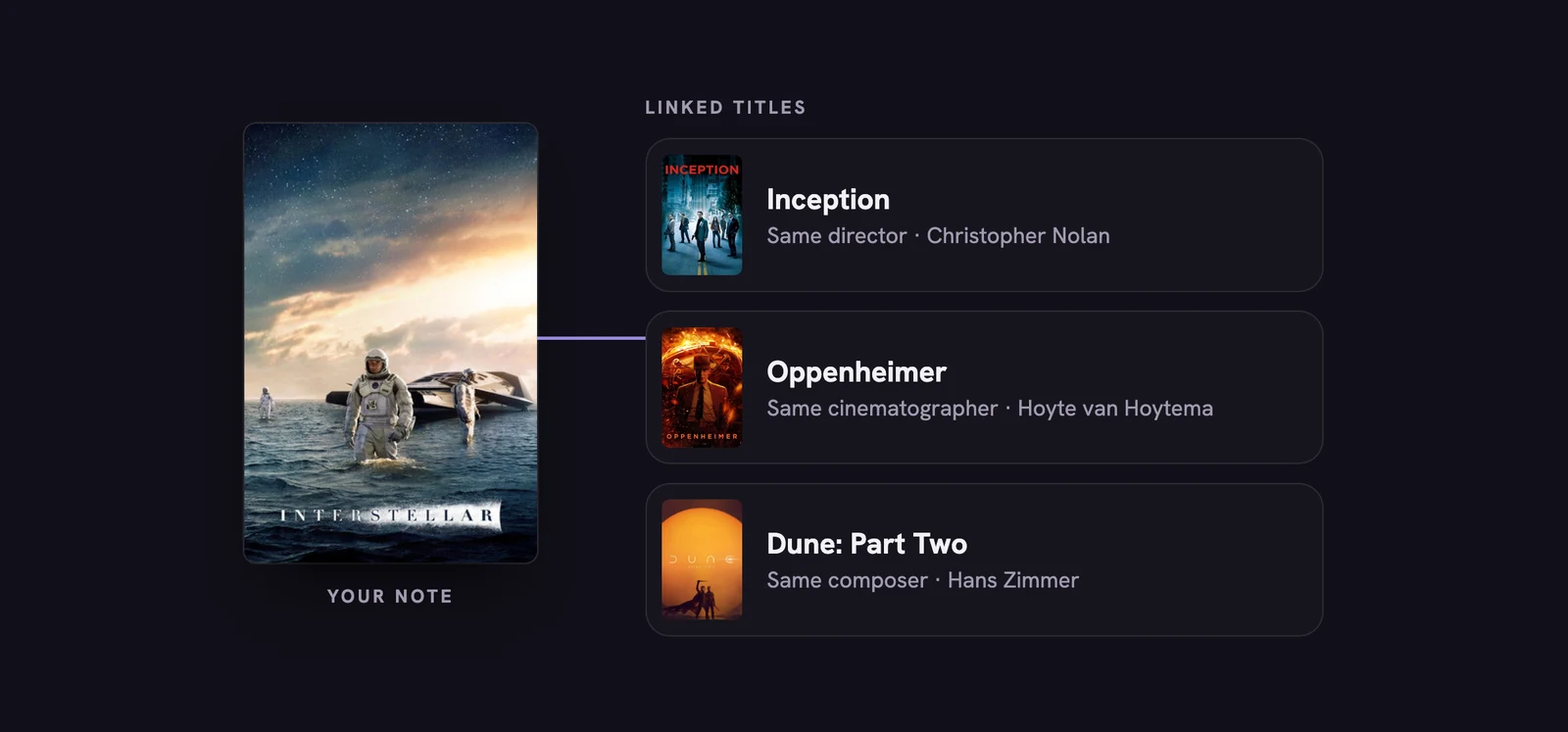
Every film borrows, and every crew has a history. Link the titles a scene reminds you of right inside the note: the earlier film, the novel it adapts, even the game that copied it. Linked titles appear as cards in the note, one tap from their own page and their own notes.
Leave yourself a to-do
End a session with a checklist: "watch the director's earlier film", "compare the ending with the novel", "find the interview about this shot". Checklists live inside the note, next to the moments that raised them.
A worked example: the docking scene in Interstellar
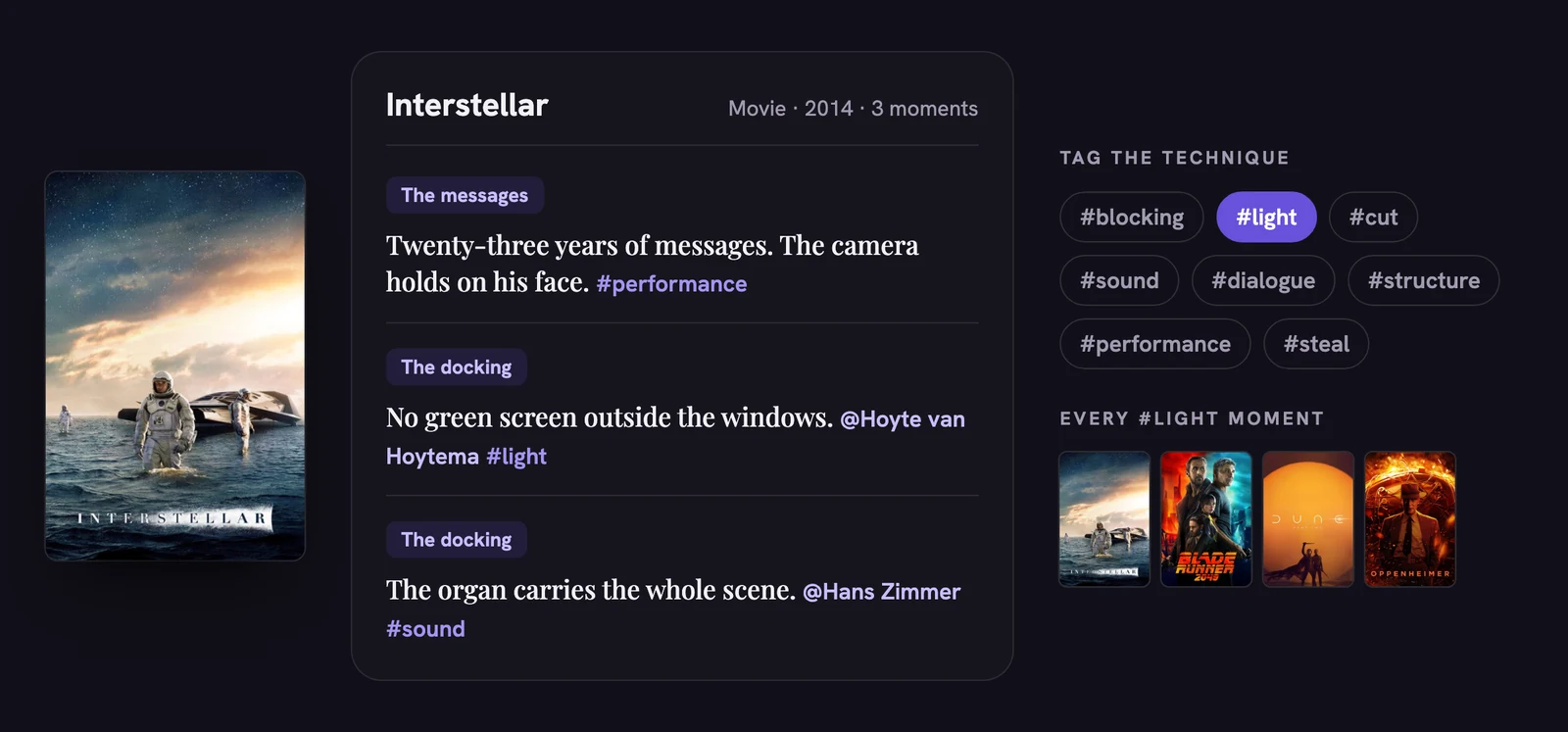
Here's what a study note looks like in practice, using Christopher Nolan's Interstellar (2014): the scene where Cooper watches twenty-three years of messages from home, and the docking with the spinning Endurance. Three moments, each pinned to a scene, two crew members named, three techniques tagged. From here you'd link 2001: A Space Odyssey (1968) as a related title and add a checklist item to watch Dunkirk (2017), the next movie Nolan made with the same cinematographer.
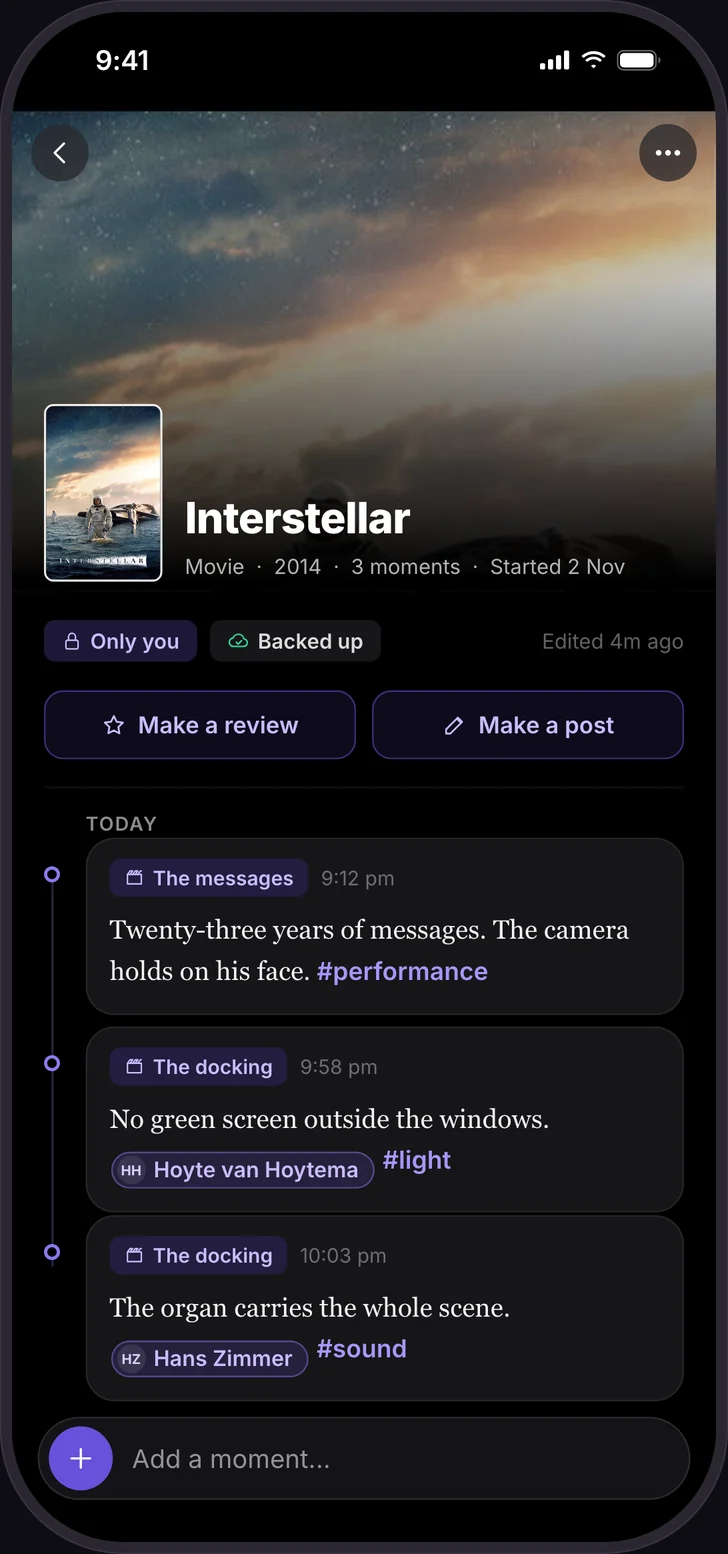
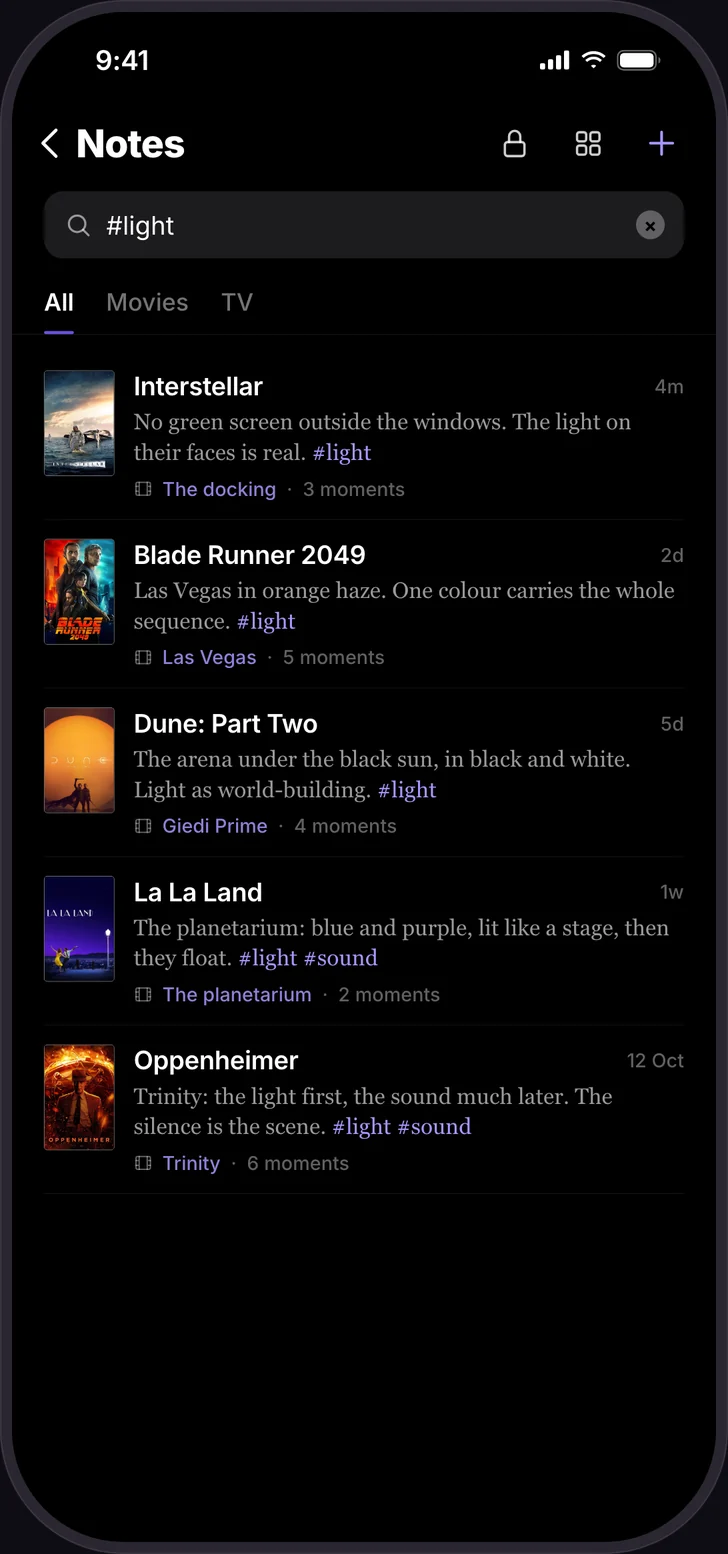
Six months later, tapping #light brings up this moment next to every other lighting note you've written, from any film. Searching "Zimmer" finds the organ note too: search covers the text of every moment, and opens the note at the matching one.
A tag vocabulary for film study
Short, fixed tags beat long, creative ones. Here's a starting set; add your own sparingly.
| Tag | Use it for |
|---|---|
| #blocking | Where people stand and move, staging, camera placement |
| #light | Lighting, colour, time of day, practical sources |
| #cut | An edit that works, rhythm, a match cut, a held shot |
| #sound | Score, silence, sound design, a needle drop |
| #dialogue | A line, subtext, how a scene is written |
| #structure | Act turns, reveals, how information is withheld |
| #performance | A choice an actor makes |
| #steal | Anything you want to try in your own work |
Directors, writers, critics, students: what each should note
Directors and cinematographers
#blocking#light
Build a shot library: a moment per technique, pinned to the time, naming the cinematographer. When you need references for a mood board or a pitch, one tag gives you every example you've ever noted.
Screenwriters
#structure#dialogue
Note where the first act turns, how a reveal is set up, a line that does two jobs. Wibely isn't a screenwriting app, and doesn't try to be. It's where the research lives, so when you're stuck on your own second act, you can search #structure across every film you've studied.
Critics and reviewers
#cut#sound
Write while it's fresh: timestamped observations during a screener, then shaped into a piece. With Wibely Plus, a note turns straight into a review or a post, so the observation and the published review stay connected.
Film students
#structure#steal
Keep a note per film on the syllabus, with checklists for what to watch next and links between films that share a director, a movement or a technique. Before a seminar or an exam, search the course tag and every relevant moment is there.
Actors
#performance
Note performances: a pause, a look, a choice. Name the actor, and it becomes a personal reel of moments to learn from.
A rating says you liked it. A note on the docking scene says why. When you're making your own film, the why is the only part you need.
Turning notes into work
- A pitch or mood board: tap a tag, collect the films and moments, find where to watch each one on its title page.
- A review or essay: start from the note's moments; with Plus, turn the note into a review.
- A reference list for your team: make a Wibely list ("Long takes we love", "Night exteriors") and share it. Notes stay private; the list is what you share.
- One thought, shared: share a single moment as a card, without opening up the rest of the note.
Privacy, and notes in the dark
Ideas for work that doesn't exist yet should stay yours. Only you ever see your notes. Lock them with Face ID, Touch ID or your passcode. Every note keeps its earlier versions, and deleted notes go to a trash first.
Notes save on your phone first and back up when you're online, so they work in a screening room with no signal. Be kind to the people around you, though: in a cinema, write it the moment the credits roll.
Your first notes are free. Wibely Plus makes them unlimited.
Already keep a diary on Letterboxd? Bring it with you, rewatches included. For the everyday version of this method, across TV, books and games too, see how to remember the moments.
Questions people ask
- What's the best way to take notes while watching a movie?
- Watch once without notes, then rewatch and pin each note to a time or a named scene, name who made the moment work, and tag the technique. Notes that name the film, the moment and the reason stay useful for years.
- How do film critics take notes?
- Usually in short bursts during a screening, then expanded straight after while the film is fresh. Pinning each note to a time or scene makes it easy to go back and check before writing.
- Can I timestamp notes on a movie?
- Yes. In Wibely, each moment in a movie note can carry a time like 1:12:30 or a scene name.
- Can I write a screenplay in Wibely?
- No. Wibely is for the research behind it: scene notes, references and observations you can search while you write.
- Are my notes private?
- Yes. Only you see them, unless you share a single moment as a card yourself.
- Does this work for TV, books and games?
- Yes. TV moments pin to episodes, books to pages or chapters, games to sessions, music to tracks.